



From cooking shows to concerts, people have been finding all sorts of creative uses for Google+ hangouts. But what about something a little more basic? What if you could watch YouTube live streams with your friends?
YouTube recently launched their live streams page, and there's a lot to check out. Can't make it to Lollapalooza this weekend? You can watch it live, and with a few steps, you can watch it with your friends, without even having to be in the same room or city, for that matter.
Step 1 Start a Google+ hangout session.
Click on the Start a hangout button on the right hand side.
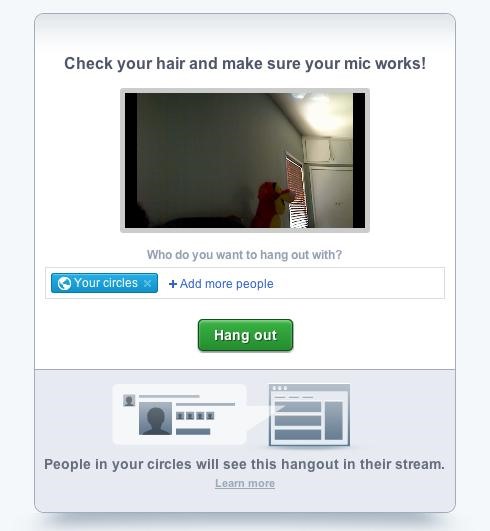
Step 2 Invite your friends.
Google+ hangout sessions are limited to 10 people at a time. You can invite people individually or choose circles to invite. If your friends are signed into chat, they'll get an invitation via IM to join the hangout.
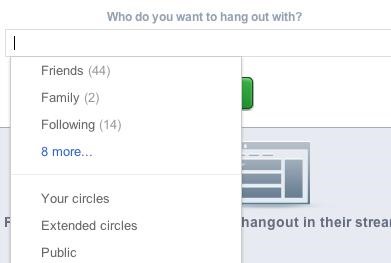
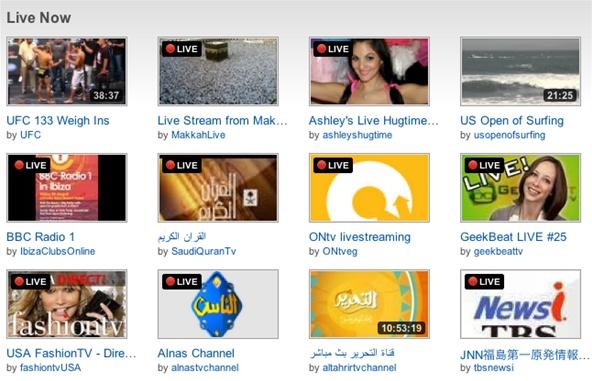
Step 3 In another browser tab, open YouTube Live Stream.
Go to https://www.youtube.com/live and pick the stream you want to watch.
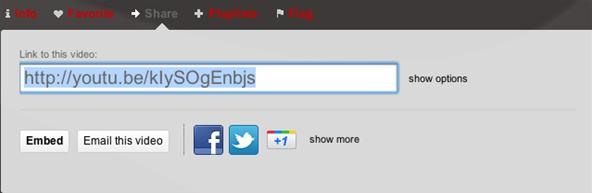
Step 4 Copy the YouTube ID for the stream you want.
Click the Share button underneath the video to grab the URL. Copy everything after http://youtu.be/. (That's the video ID)
Step 5 Search for the stream in your hangout.
Paste the ID into the video tab of your hangout to search for it. Once you find it, click Play.
Just updated your iPhone? You'll find new emoji, enhanced security, podcast transcripts, Apple Cash virtual numbers, and other useful features. There are even new additions hidden within Safari. Find out what's new and changed on your iPhone with the iOS 17.4 update.
























Be the First to Comment
Share Your Thoughts